
September 9, 2026
Looking for an AdsPower, Multilogin, or GoLogin Alternative? Meet Persona Hub
Manage multiple browser identities without the complicated setup. Persona Hub brings Profiles, passwords, TOTP, and passkeys together, with three Profiles free.
If you are comparing AdsPower, Multilogin, and GoLogin, you likely want the same thing: a separate browser environment for each account, without the hassle of managing several computers.
The feature list matters, but so does the experience of using the tool every day:
- Is it easy to set up a new account's environment?
- Can I quickly find the right Profile and get back to work?
- Are passwords, verification codes, and passkeys easy to manage?
- Can I start small without paying for features I do not need?
Persona Hub is built for people who want to manage multiple browser identities without a complicated setup. Each Profile has its own fingerprint settings, cookies, and local data. Give it a name, add a proxy if you need one, and launch it from the Profile list.
You can start with three free Profiles. Pro costs $5 per month for up to 100 Profiles and adds password management and software passkeys.
We’re the Chrovia team, the makers of Persona Hub. This article introduces our approach to multi-account browsing, rather than ranking other products. Pricing is accurate as of September 9, 2026; check the product page for the latest plans.
Create, configure, launch
In Persona Hub, a Profile is the browser environment you use for a particular account or task. Its cookies, cache, website storage, and extension data are separate from those of other Profiles.
Getting started takes three steps:
- Create a Profile. Give it a name that makes it easy to find later.
- Choose its appearance and add a proxy if needed. Use Check node to test the proxy before saving. You can leave the fingerprint and startup settings at their defaults unless you want to customize them.
- Launch it. Open the website you need and sign in.
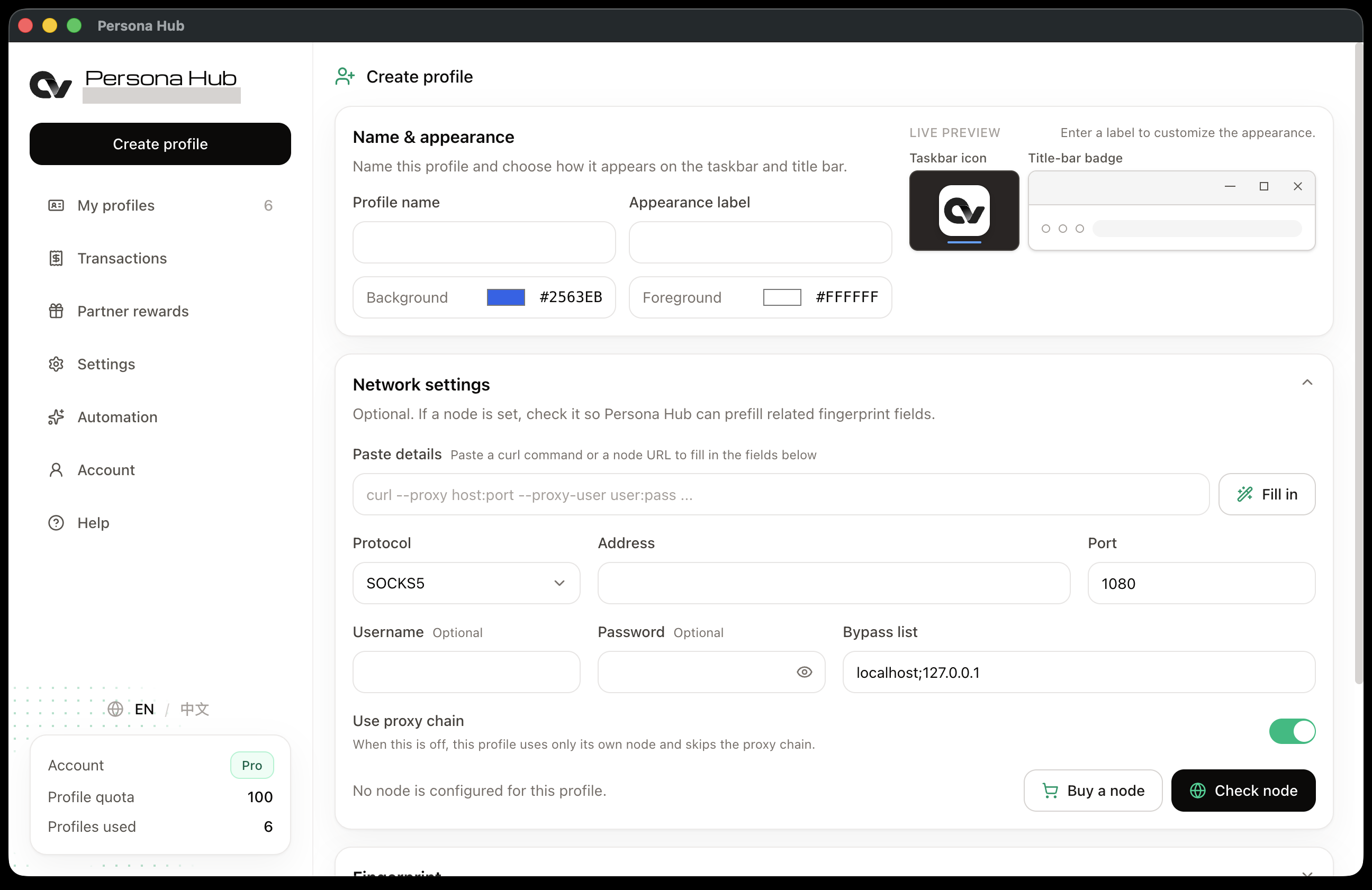
For example, you could have one Profile for your own business and one for each client. You can use them side by side without signing out of one account to access another. When you come back, launch the same Profile again. The website may ask you to sign in, but your browser setup is already there.
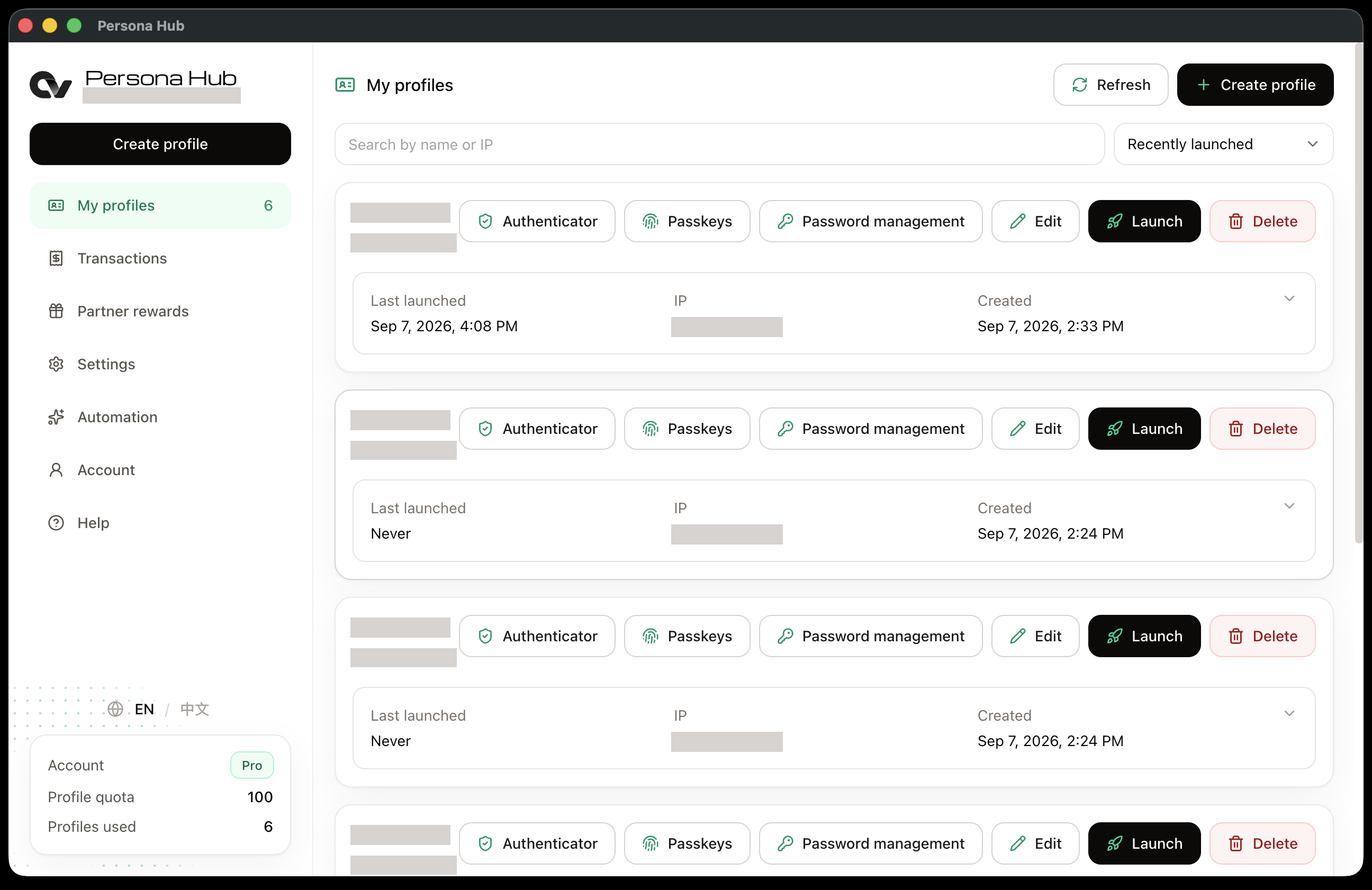
For a walkthrough, see How to create a profile in Persona Hub and How to launch a profile browser.
Different browser identities on one computer
Opening another window is not the same as using a different browser identity. Persona Hub goes beyond separate sessions: it lets you create environments with different device characteristics, so each Profile can present its own browser identity to websites. Data isolation keeps account data separate, while fingerprint override changes the device characteristics a website sees.
You can configure each Profile's user agent, timezone, hardware concurrency, device memory, fonts, and speech voices. To use a different network connection, assign it your own proxy, called a node in the app. You choose the provider; proxy service is not included in the Persona Hub subscription.
The settings are saved with the Profile. You set up an account's environment once, then return to it whenever you need it, all from the same computer.
From launching a Profile to signing in
A separate environment is a good start, but you still need to get into the account. With several accounts, that can mean looking up passwords, reaching for your phone for a verification code, and sorting through passkeys saved on the same computer. Persona Hub manages passwords, TOTP, and software passkeys by Profile, keeping each account's login details with its browser environment.
Once you have set them up, you can use a saved password and get the account's TOTP code directly in Persona Hub. There is no need to pick up your phone and open an authenticator app every time the site asks for a code. Passkeys are organized by Profile too, making it easier to keep each account's keys separate instead of managing them all through the computer's system passkey manager. On supported websites, they work for passwordless sign-in or two-step verification.
You can access these records from the Profile list, right next to the Launch button. Free includes TOTP; Pro adds password management and software passkeys. Pro also syncs saved passwords when you use the same Profile on another computer.
The guides to password management, TOTP, and passkeys explain how to set them up.
Start with three free Profiles
The Free plan has no trial deadline. You can use it for up to three Profiles and decide whether Persona Hub suits your day-to-day work before upgrading.
| Feature | Free | Pro |
|---|---|---|
| Price | $0 | $5/month |
| Profiles | Up to 3 | Up to 100 |
| Per-Profile fingerprint settings | Included | Included |
| Bring your own proxy | Included | Included |
| TOTP verification codes | Included | Included |
| Password management and sync | Not included | Included |
| Software passkeys | Not included | Included |
Upgrade to Pro when you need more Profiles, password management, or software passkeys.
Is Persona Hub right for you?
Persona Hub is worth trying if you want:
- An easy daily routine: find the account's Profile and launch it.
- Distinct browser identities: give each account its own data and fingerprint settings.
- Login details in one place: manage passwords, verification codes, and passkeys by Profile.
- A free starting point: use up to three Profiles before choosing a paid plan.
If you already use AdsPower, Multilogin, or GoLogin, start with the tasks you rely on most. Team permissions, session sync, bulk actions, or a particular automation integration may be important to you. Check how Persona Hub handles those needs, and what you would need to set up again, before moving your accounts over.
Try it with a task you already do
The easiest way to judge a browser manager is to use it for real work. Create a Profile, add your usual proxy if you use one, and sign in to a website. Close the browser and launch the Profile again. If the account uses TOTP, set that up too and try getting the code in Persona Hub on your next sign-in.
The goal is simple: less time managing browser environments, more time getting work done.