
Fingerprint and WebRTC settings
Browser fingerprint parameters and WebRTC connection policies for profiles.
Each profile has its own fingerprint and WebRTC settings, available on the create and edit pages. Changes take effect the next time the profile browser launches.
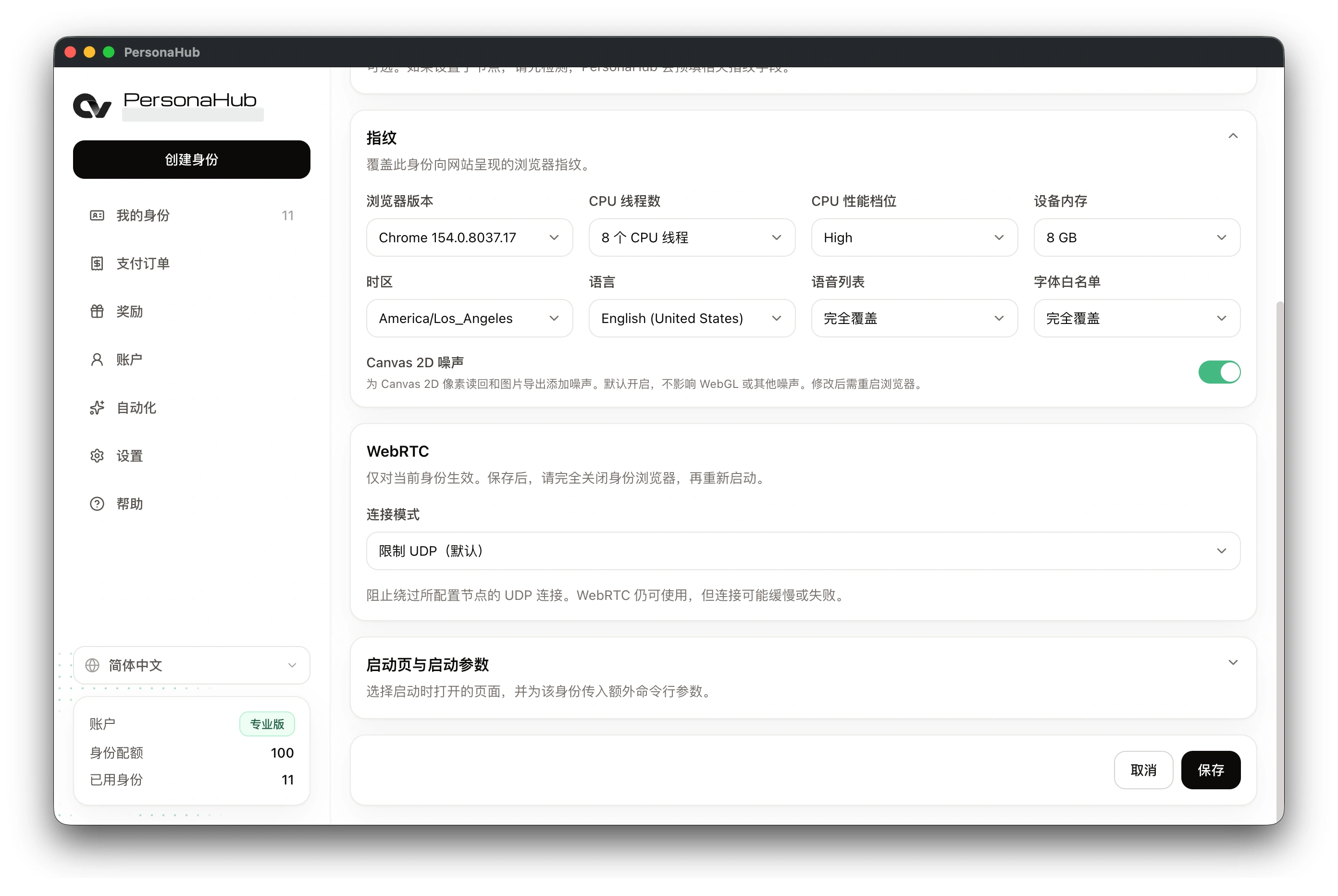
Fingerprint parameters
| Parameter | Function |
|---|---|
| Browser version | Browser version reported to websites; "auto" uses a version matching the current engine's major version |
| CPU threads | Number of logical processors reported to websites |
| CPU performance | Processor performance tier reported to websites |
| Device memory | Memory size reported to websites, in GB |
| Time zone | Browser time zone; filled from the exit location after a successful node check |
| Language | Preferred browser languages, independent of the PersonaHub interface language |
| Speech voices | Speech synthesis voices available to websites; uses a preset list by default |
| Font allowlist | Fonts detectable by websites; uses an OS-specific preset list by default |
| Canvas 2D noise | Adds slight noise to canvas pixel data; enabled by default |
| WebGL noise | Adds slight noise to WebGL pixel readback and image exports; enabled by default |
| Audio noise | Adds slight noise to Web Audio sample readback; enabled by default |
CPU and memory settings affect reported values, not actual resource usage. Creating or resetting a profile generates random hardware parameters. Saved parameters are not randomized on each launch. Node checks update the time zone but leave language settings unchanged.
WebRTC connection policies
WebRTC supports real-time communication such as audio and video calls. Its UDP connections can bypass proxies.
| Policy | Behavior |
|---|---|
| Restrict UDP (default) | Disables UDP connections that bypass the proxy; may affect audio and video calls |
| Public interface only | Uses the default route; may expose your direct public IP |
| Public and private interfaces | Uses the default route; may expose public and private IP addresses |
| Unrestricted | Uses all available network interfaces; may expose local network addresses |
Node checks do not verify whether WebRTC traffic passes through the proxy.
See Nodes and proxy chains for network settings and Automation API for script access.