
Plans and subscriptions
Differences between Free and Pro plans, checkout options, billing management, and renewal rules.
PersonaHub offers Free and Pro plans for personal use.
Plan comparison
In the desktop client, click Account in the left sidebar to view your current status and plan options:
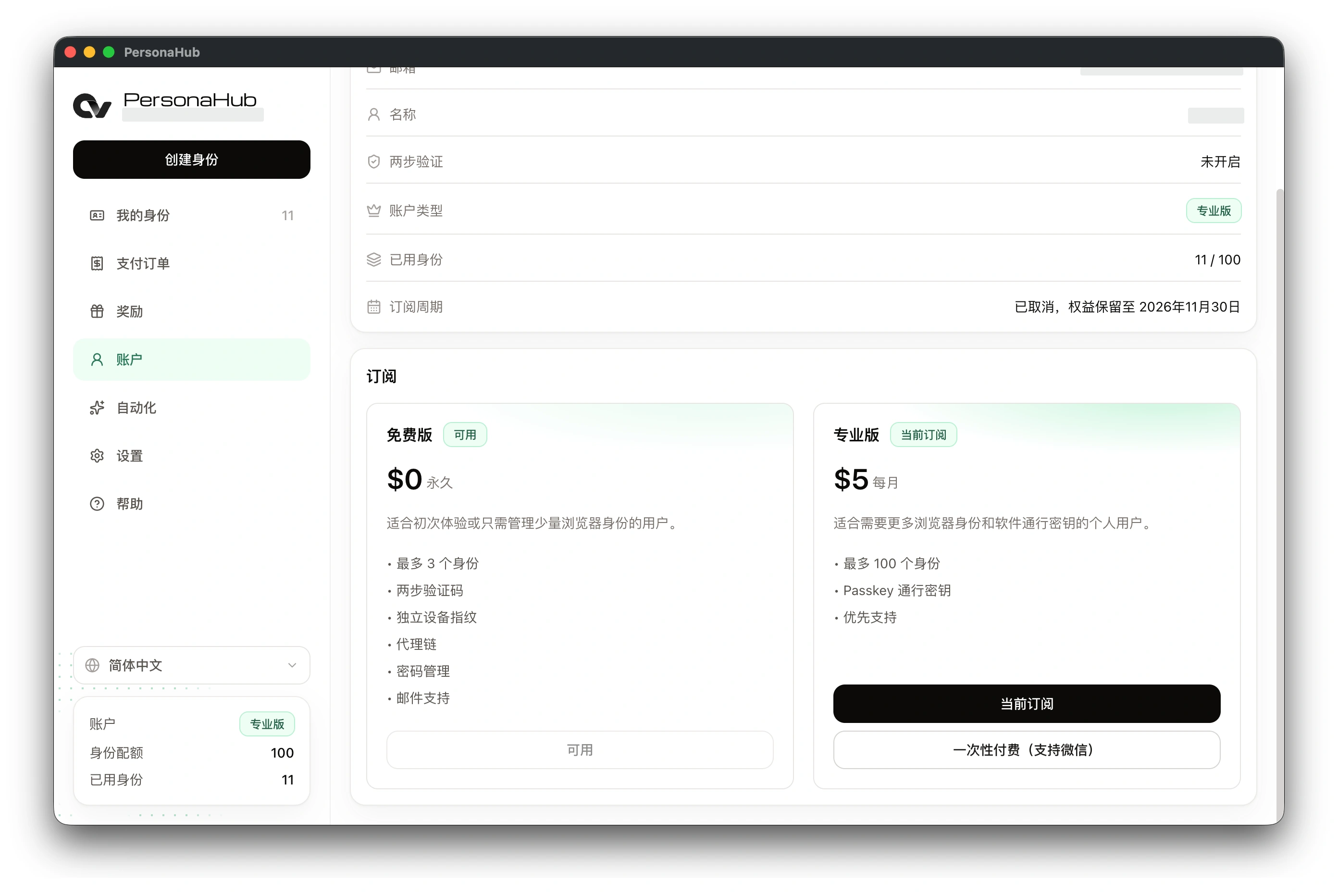
| Feature | Free plan | Pro plan |
|---|---|---|
| Profile quota | Up to 3 profiles | Up to 100 profiles |
| Device fingerprinting | Included | Included |
| Nodes & proxy chains | Included | Included |
| Passwords & TOTP | Encrypted cloud sync included | Encrypted cloud sync included |
| Software passkeys | Not included | Included in profile browsers |
| Customer support | Standard email support | Priority technical support |
PersonaHub personal plans cover the desktop client. An SDK license is not required.
Payment options
- Subscribe to Pro: Free plan users can click Subscribe on the Pro card to open the checkout page and begin an auto-renewing subscription.
- One-time payment (WeChat supported): When available, the one-time payment option below the Pro card in the Simplified Chinese interface provides a fixed term without automatic renewal.
- Transaction history: Click Transactions in the left sidebar to review past invoices and payment receipts.
- Refresh status: After completing payment, click Refresh at the top right of the Account page to sync your subscription status and quota.
Billing portal and cancellation
For users with an active recurring subscription:
- Navigate to Account → Subscription → Pro and click Current subscription to open the Customer Portal in your browser.
- The billing portal allows you to download receipts, update payment methods, or cancel upcoming renewals. If an automated renewal fails, the client displays Update payment method.
- Canceling auto-renewal does not cut off access immediately. Your Pro benefits remain active through the end of the paid billing period, as shown under Account → Billing period.
Plan expiration and downgrade handling
- Profile retention: When a Pro subscription expires, the account reverts to the Free quota (3 profiles). Existing profiles are preserved in your account, but you cannot create or import new profiles at or above the Free limit.
- Feature changes: Upon reverting to Free, passkey functionality in profile browsers is paused. Existing nodes, fingerprints, saved passwords, and TOTP entries continue to function normally.
- Releasing slots: Clearing local cache or data files only resets local files and does not reduce your cloud profile count. Creating a profile requires your profile count to be below your plan limit.
If your paid upgrade does not appear, verify the signed-in email and click Refresh; if the issue persists, contact support via the email listed on the Help page.