
Managing profiles
Search, sort, edit, import, export, and delete profiles.
Profile list
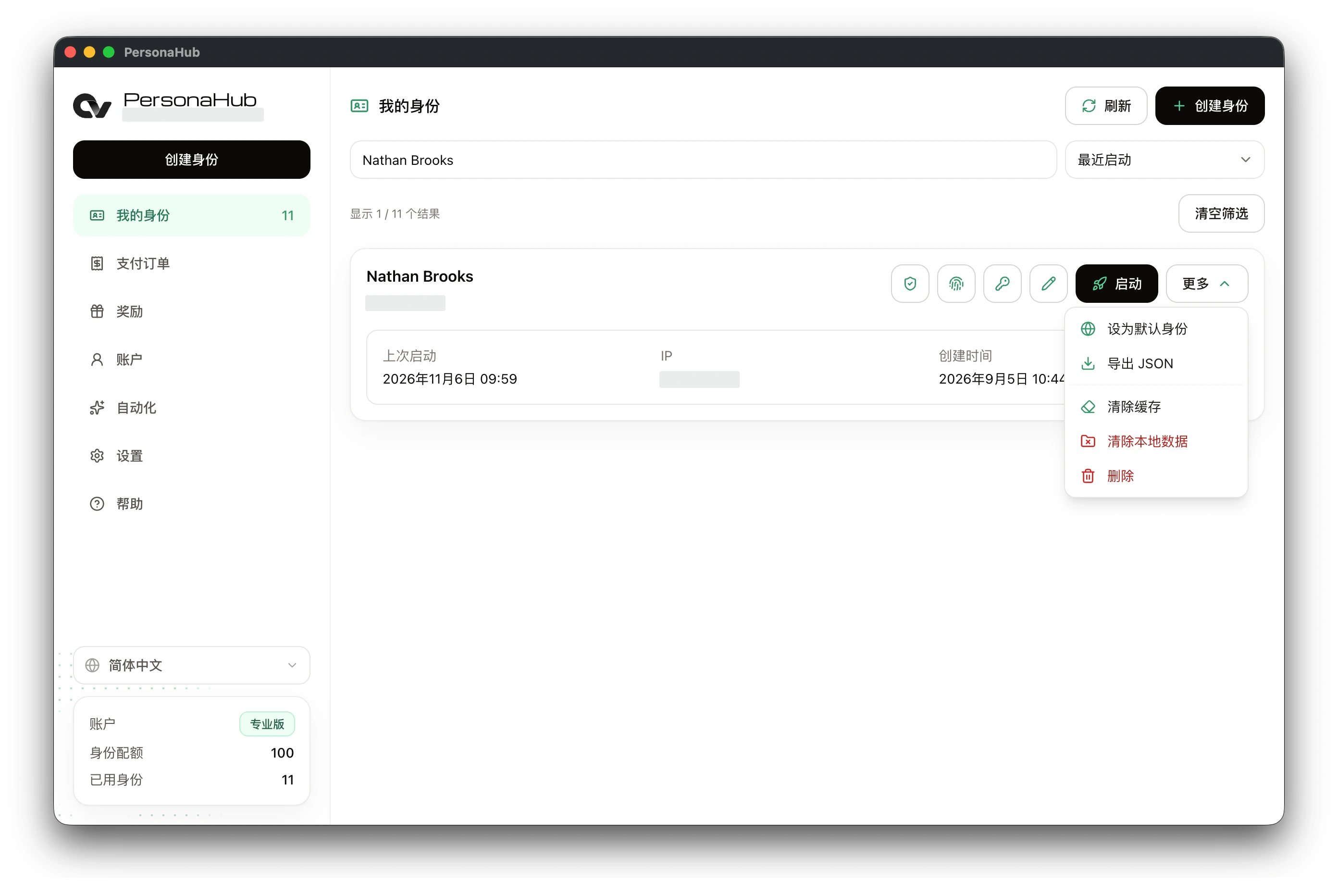
My profiles supports searching by name or exit IP and sorting by recent launch, creation date, or name. Profile cards provide access to TOTP, passkeys, passwords, editing, and browser launch.
Editing profiles
The Edit profile page contains name, appearance, node, fingerprint, WebRTC, startup page, and launch argument settings. Saving changes does not use an additional slot or clear existing cookies, history, or sign-in sessions.
- Changes to node connection details require a successful check before saving; see Nodes and proxy chains.
- Browser configuration changes take effect on the next launch.
- Editing preserves the noise seed; creating or importing a new profile generates a new seed.
See Fingerprint and WebRTC settings, Startup page and session restore, and Enable CDP on launch for related settings.
More menu
| Action | Function |
|---|---|
| Set as default profile | Assigns the profile to external links; see Default browser and profile |
| Export JSON | Exports configuration, saved passwords, TOTP, and passkeys; excludes cookies, history, and sign-in sessions |
| Clear cache | Removes local cache while preserving cookies, site data, and credentials |
| Clear local data | Removes local browser data while preserving cloud configuration and credentials |
| Delete | Removes the cloud profile and its data and cache on this device, releasing a profile slot; cannot be undone |
The profile browser must be closed before deletion. See Local profile data and cache for the scope of data cleanup.
Import and export
Exported JSON can back up configuration or transfer it to another PersonaHub account. Files contain plaintext node credentials, website passwords, and passkeys and need secure storage.
Importing creates a new profile, uses one slot, and does not restore local sign-in sessions. Import and export options are described in Create a profile.